VB-G RAM G Attendance 2026: How Daily NREGA Attendance Is Marked, Checked & Fixed
If you work under the rural employment scheme and want to understand how your VB-G RAM G attendance is recorded, saved, and turned into wages, this article explains everything in plain English. Honestly, attendance is the single most important part of the whole system — because if your attendance isn't marked correctly on a given day, that day's wage simply won't come, no matter how hard you worked. So let's go through it step by step.
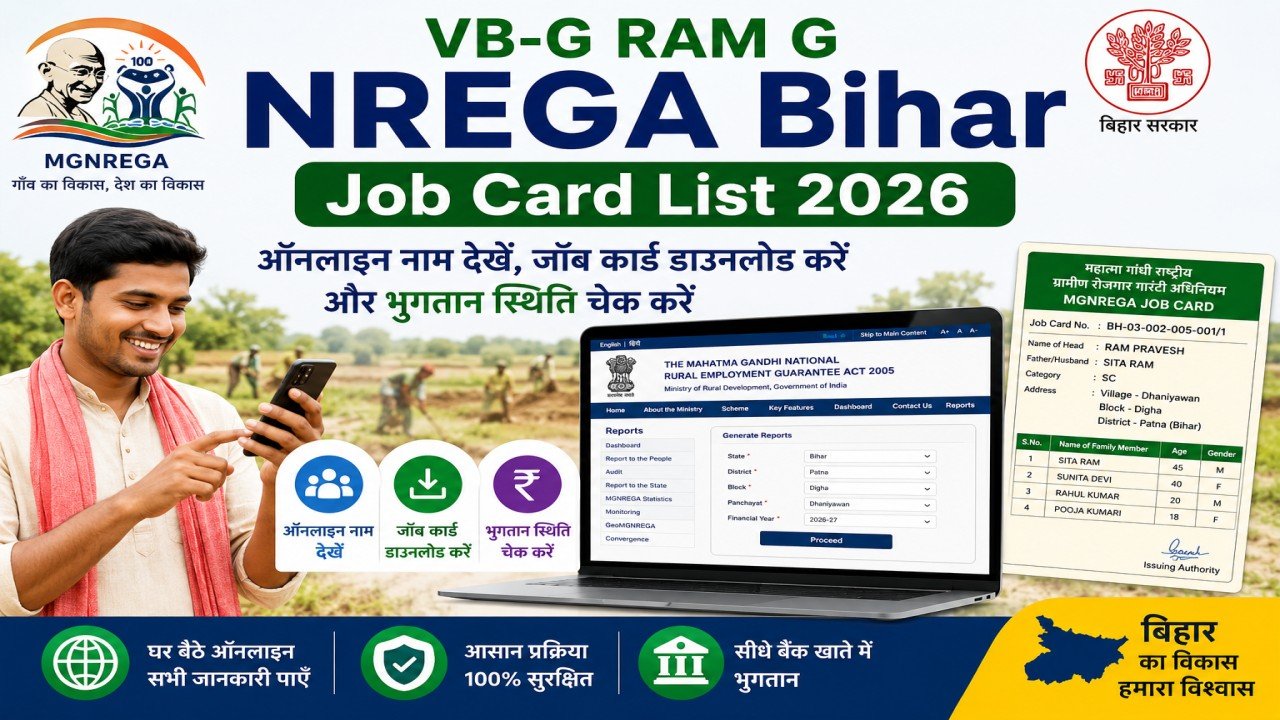
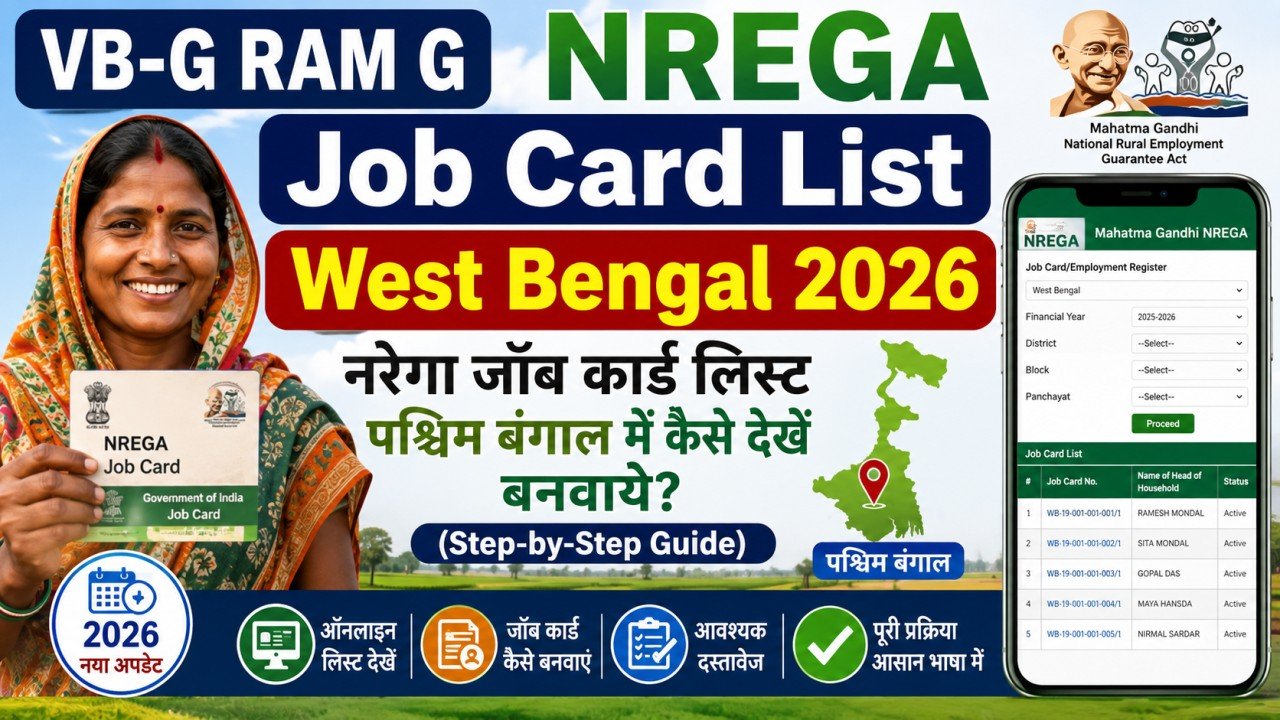
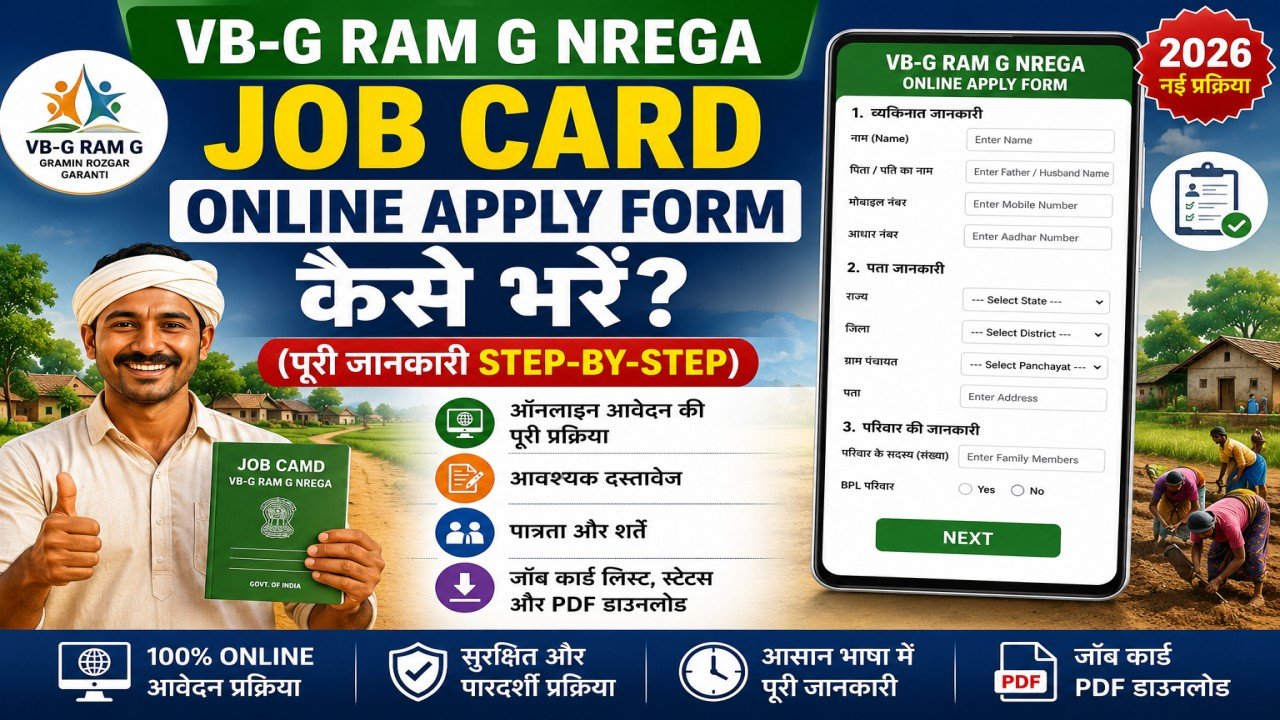
VB-G RAM G (NREGA) Job Card List 2026: State-Wise Job Card List, Job Card Apply, Attendance & Panchayat Reports
अगर आप अपना VB-G RAM G job card ढूंढ रहे हैं या NREGA job card list में अपना नाम check करना चाहते हैं, तो आप बिल्कुल सही जगह पर हैं। आजकल बहुत से लोग confuse हैं क्योंकि पुरानी scheme का नाम और नया नाम — दोनों चल रहे हैं। कोई NREGA बोलता है, कोई G Ram G, और अब official नाम है VB-G RAM G। घबराइए मत, ये सब एक ही rural employment scheme की बात है। इस article में मैं आपको आसान भाषा में सब कुछ समझाऊंगा — job card क्या है, G Ram G job card list कैसे check करें, PDF कैसे download करें, attendance कैसे देखें, और अगर list में नाम नहीं दिख रहा तो क्या करना है।
VB-G RAM G Attendance 2026: How Daily NREGA Attendance Is Marked, Checked & Fixed
If you work under the rural employment scheme and want to understand how your VB-G RAM G attendance is recorded, saved, and turned into wages, this article explains everything in plain English. Honestly, attendance is the single most important part of the whole system — because if your attendance isn't marked correctly on a given day, that day's wage simply won't come, no matter how hard you worked. So let's go through it step by step.
What Is VB-G RAM G Attendance?
Under the VB-G RAM G scheme (the upgraded version of what people still call NREGA or MGNREGA), your attendance at the worksite is no longer written by hand in a paper register the way it used to be. Now it's captured digitally through the NMMS app (National Mobile Monitoring Software).
Here's what a normal work day looks like:
- Your mate or supervisor opens the NMMS app at the worksite.
- They take a live, geo-tagged photo of the workers — usually twice a day (once in the morning, once after the lunch break).
- The photo carries the date, time, and GPS location, so nobody can mark a fake "Present."
- This becomes your official VB-G RAM G attendance for that day.
Personal Note: In my village, ever since photo-based attendance came in, the old "ghost worker" problem has almost disappeared. Genuine workers finally get their full days counted, which is a good thing.
Why Daily Attendance Matters So Much
Your VB-G RAM G attendance is directly linked to three things:
- Your wages — no Present, no payment for that day.
- Your 125-day count — under the new act, eligible households can demand up to 125 days of work in a financial year, and every marked day counts toward that limit.
- Your job card status — regular, correctly marked attendance keeps your card active and "Green" on the MIS portal.
So even if the work actually happened, always make sure your photo attendance was clicked and uploaded. If the supervisor's phone had no network signal that day, the attendance sometimes gets stuck — follow up the same day, don't wait.
How VB-G RAM G Attendance Is Marked (NMMS Process)
The whole process is designed to be transparent and hard to fake:
- Two-time capture: Attendance is usually taken in two sessions — morning and afternoon. Both may be needed for a full day to count.
- Live photo only: The NMMS app doesn't accept gallery photos. The supervisor has to take a fresh, on-the-spot picture.
- Geo-tagging: Each photo is stamped with the exact worksite location, so attendance can't be marked from home or a tea shop.
- Muster roll link: Once uploaded, your attendance feeds directly into the digital muster roll, which the Gram Panchayat then processes for payment.
This is why the scheme now has far fewer fake attendance cases than before.
How to Check Your VB-G RAM G Attendance Record (Step by Step)
Your attendance shows up inside the Muster Roll and Employment Register reports on the portal. Here's how to reach it:
- Step 1: Open the official website vbgramg.dord.gov.in in your browser. (Older links still redirect to nrega.dord.gov.in, so both work.)
- Step 2: Go to the "Analytics & Reports" tab and click State Report.
- Step 3: Select your State.
- Step 4: Drill down — District → Block → Gram Panchayat.
- Step 5: In the Gram Panchayat Reports dashboard, open the Muster Roll / Employment Register report.
- Step 6: Find your name and click your Job Card Number (in blue).
- Step 7: You'll now see your day-wise record — which days are marked Present, and the wage calculated for each.
This is also the quickest way to check how many days you've already worked this year (out of the 125-day limit).
Check Attendance Through the UMANG App
If you don't want to open the portal every time, the UMANG app is the easier option for most villagers:
- Download and open the UMANG app (the official app for workers).
- Search for "MGNREGA" and open the service.
- Log in with your mobile number/OTP or job card number.
- View your work history, attendance days, and pending payments — all on your phone.
Tip: Only use the official UMANG app. Do not install any random "VB-G RAM G attendance app" — those are usually fake and try to steal your Aadhaar and bank details. Also remember: workers cannot mark their own attendance. That is done only by the mate/supervisor on the NMMS app. UMANG is just for viewing your records.
Marked Present but No Payment? The Real Reason
This is the most common complaint — "I was present, but the money never came." In most cases the problem is not your attendance. It's the missing Aadhaar–NPCI mapping in your bank account.
Since all wages now go through the Aadhaar Based Payment System (ABPS):
- Your bank account must be Aadhaar-linked and NPCI mapped.
- If it isn't, the Fund Transfer Order (FTO) will fail even though your attendance is perfectly marked.
- To fix it, visit your bank branch or a Common Service Centre and get the Aadhaar seeding + NPCI mapping done.
- Just having Aadhaar submitted at the bank isn't enough — it must be active in the NPCI mapper. Confirm the "NPCI mapping status" with the bank.
Real Talk: Many workers lose 10–15 days of wages just because of this linking issue, not because of attendance. Get it sorted as early as possible.
Common Daily Attendance Problems (and Fixes)
- Attendance not showing on portal: Usually a network delay from the worksite. Ask your mate to re-check that the NMMS upload actually went through.
- Only one photo clicked: Both the morning and afternoon captures may be needed for a full day. Remind the supervisor.
- Marked Present but no wage: Attendance is fine — the issue is almost always Aadhaar–NPCI mapping. Fix it at the bank.
- Wrong name or spelling in the register: Get it corrected for free at the Gram Panchayat with your job card number.
- Card showing Yellow/Red: Your e-KYC or Aadhaar seeding is incomplete. Visit the panchayat to update it, or attendance may not convert to payment.
What Is an NREGA / VB-G RAM G Job Card?
An NREGA job card is the identity document that proves your household is entitled to demand work under the scheme. A few key points:
- It is issued per household, not per person — all willing adult members of the family can be registered on one card.
- It carries a unique job card number, the names of registered members, and a record of days worked.
- It is completely free — no fee for registration, the booklet, or photos.
- It stays valid for 5 years and can be renewed through the panchayat.
This card is what links your worksite attendance to your bank account, so without an active card, you can't claim wages.
MGNREGA Officially Replaced by VB-G RAM G Act
You must have heard people still calling it MGNREGA, but in 2026 the government has officially upgraded and renamed the scheme. It is now known as VB-G RAM G – short for Viksit Bharat Guarantee for Rozgar and Ajeevika Mission (Gramin).
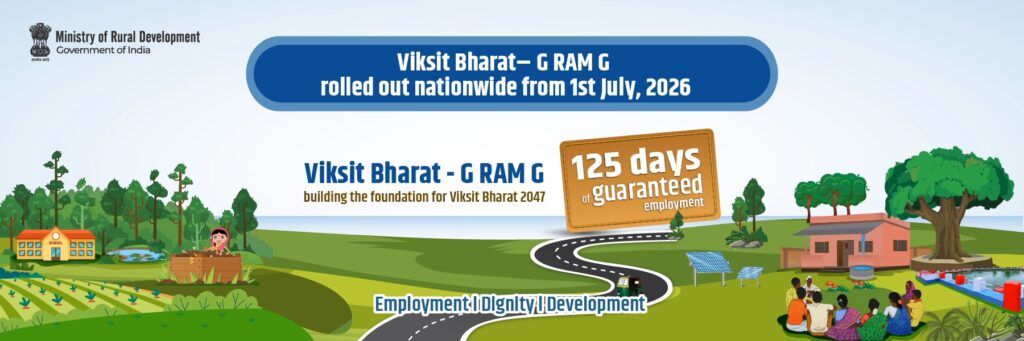
This is not just a name change. The new Act brings stronger guarantees, better digital tracking, and most importantly, an increase in the number of guaranteed workdays. While the old scheme promised 100 days, the updated VB-G RAM G version now gives eligible households the right to demand up to 125 days of wage employment in a financial year.
Many villagers were initially confused about whether their old cards would still work. The good news is that during the transition period, valid MGNREGA cards are still accepted, provided your Aadhaar is linked and e-KYC is completed. This change shows the government’s focus on giving more income security to rural families.
Personal Note: In my area, people who got their cards updated early are already enjoying the extra 25 days of work. It makes a big difference during lean seasons.
How to Login:
You can log in using your Job Card Number, Aadhaar number, or registered mobile number. For most people, the easiest way is through the UMANG app, which connects directly to the portal and shows your digital job card, work history, and pending payments.
Tip: Always use the official apps and websites. There are many fake apps floating around that try to steal your details.
NREGA State-Wise List & Gram Panchayat Details
Every state has its own way of showing the job card list and Gram Panchayat reports. After selecting your state on the portal, you have to drill down – District → Block → Panchayat.
Once you reach the Gram Panchayat level, you can open the Employment Register (usually under R1 reports). Here you will see the full list of workers with their names, job card numbers, and current status. The colour coding (Green, Yellow, Red) makes it easy to understand who is fully active and who needs to update their documents.
This system helps you quickly check whether your name is there, if your card is active, and how many days you have already worked this year.
MGNREGA Wage Rate & Payment Updates (2026-27)
Wage rates are different in every state and get revised almost every year. In 2026-27, many states have increased the daily wage. For example, Madhya Pradesh is offering around ₹261 per day, while some southern states are going as high as ₹330-₹350.
All payments are now pushed through ABPS, which means money goes straight to your linked bank account. But as I mentioned earlier, Aadhaar-NPCI mapping is compulsory. If it’s not done, your FTO (Fund Transfer Order) will fail even if your attendance is marked.
Real Talk: Many workers lose 10-15 days of wages just because of this linking issue. Get it sorted at your nearest bank or Common Service Centre as soon as possible.
VB G RAM G NREGA Guides to NREGA Online Services (Quick Links)
Here are the most useful services you can access online:
- Apply for New Job Card through UMANG App
- Check Job Card Status & Download PDF
- View Employment Register & Work History
- Track Wage Payments and FTO Status
- File Work Demand Application
- Check State-wise Wage Rates
All these services are available on both the main portal and the UMANG app. The digital version is especially helpful for people who don’t want to visit the Panchayat office again and again.
VB G RAM G NREGA How the Rural Employment System Works Today
Today the entire system is more transparent than before. When you go to a worksite, your attendance is marked through the National Mobile Monitoring Software (NMMS) app. The supervisor clicks your photo along with the work location, which reduces fake attendance cases.
After attendance is recorded, the Gram Panchayat processes the muster roll and sends it for payment. You can track every step on the portal. The goal is simple – give genuine rural workers steady income opportunities while developing village infrastructure like ponds, roads, and farm bunds.
From MGNREGA to the New VB-G RAM G Act (The 125-Day Rule)
The biggest highlight of the new Act is the increase from 100 to 125 guaranteed workdays. This extra 25 days is a game-changer for families who depend on this scheme.
To avail the full 125 days, your job card must be active, Aadhaar-linked, and show Green status on the MIS portal. The transition is still going on, so if your old card has any issues, now is the best time to get it corrected.
This change reflects the government’s promise of stronger rural support under the Viksit Bharat vision.
VB-G RAM G (NREGA) Portal 2026: State-Wise Job Card List and Panchayat Reports
If you've recently heard NREGA being called "VB-G RAM G" or "VB Gram G," don't get confused — many people mistakenly call it G Ram G, VB G Ram Ji, or just G Ram G, but they all mean the same scheme. It's simply the upgraded version of MGNREGA that now runs under a new name.
VB-G RAM G (NREGA) Official Website and Portal Login
Everything related to VB G Ram G — whether it's checking the job card list or payment status — happens in one place: vbgramg.dord.gov.in. This is the official VB G Ram G website, and VB G Ram G login also happens here.
Older links still redirect to nrega.dord.gov.in, so both work for now. On the homepage you'll find sections like Analytics & Reports, Gram Panchayat Reports, and Worker Login — the VB G Ram G portal has been kept fairly simple so that people in villages can use it easily too.
MGNREGA Is Now Officially Known as the VB-G RAM G Act
A lot of people still haven't stopped calling it MGNREGA, but in 2026 the government officially upgraded and renamed the scheme. It's now called VB-G RAM G — the VB G Ram G full form is Viksit Bharat Guarantee for Rozgar and Ajeevika Mission (Gramin). That's also why it's being referred to in some places as the "Developed Bharat Employment Scheme."
This isn't just a name change. The new VB G Ram G act brings stronger guarantees, better digital tracking, and most importantly, an increase in guaranteed workdays. The old scheme offered 100 days, but under the new VB G Ram G scheme, eligible households can now demand up to 125 days of wage employment in a financial year.
Many villagers were initially confused about whether their old cards would still work. The good news is that during the transition period, valid MGNREGA cards are still accepted, provided the Aadhaar is linked and e-KYC is complete. This shows the government's focus on giving rural families more income security.
Personal Note: In my area, people who got their cards updated early are already enjoying the extra 25 days of work. It makes a big difference during lean seasons.
NREGA How to Log In:
You can log in using your Job Card Number, Aadhaar number, or registered mobile number. For most people, the easiest way is through the UMANG app, which connects directly to the portal and shows your digital job card, work history, and pending payments. This app basically works as the VB G Ram G mobile app — there's no need to download anything else separately.
Tip: Always use official apps and websites. There are plenty of fake apps floating around trying to steal your details.
NREGA State-Wise List and Gram Panchayat Details
Every state has its own way of displaying the job card list and Gram Panchayat reports. After selecting your state on the VB G Ram G state wise portal, you need to drill down — from District to Block, then to Panchayat.
Once you reach the Gram Panchayat level, you can open the Employment Register (usually under R1 reports). Here you'll find the full list of workers along with their names, job card numbers, and current status. The colour coding (Green, Yellow, Red) makes it easy to understand who's fully active and who needs to update their documents — this is essentially part of the VB G Ram G beneficiary list.
This system lets you quickly check whether your name is there, whether your card is active, and how many days you've already worked this year — meaning you can also view your VB G Ram G attendance record from here.
MGNREGA Wage Rate and Payment Updates (2026-27)
Wage rates differ from state to state and are revised almost every year. In 2026-27, many states have increased the daily wage. For example, Madhya Pradesh is offering around ₹261 per day, while some southern states are going as high as ₹330-₹350. This VB G Ram G wage rate structure is state-specific, so it's worth checking the exact number for your own state.
All payments are now pushed through ABPS, meaning the money goes straight into your linked bank account. But as mentioned earlier, Aadhaar-NPCI mapping is compulsory. If this isn't done, your FTO (Fund Transfer Order) will fail even if your attendance has been marked.
Real Talk: Many workers lose 10-15 days of wages just because of this linking issue. Get it sorted at your nearest bank or Common Service Centre as soon as possible.
VB G RAM G NREGA Guides to Online Services (Quick Links)
Here are some useful services you can access online:
Applying for a new job card via UMANG App for VB G Ram G online apply
Checking job card status and downloading the PDF
Viewing the Employment Register and Work History
Tracking wage payments and FTO status
Filing a work demand application
Checking state-wise wage rates
All these services are available on both the main portal and the UMANG app. The digital version is especially helpful for people who don't want to keep visiting the Panchayat office again and again.
VB G RAM G NREGA — How the Rural Employment System Works Today
Today the entire system is more transparent than before. When you go to a worksite, your attendance is marked through the National Mobile Monitoring Software (NMMS) app. The supervisor clicks your photo along with the work location, which reduces fake attendance cases.
After attendance is recorded, the Gram Panchayat processes the muster roll and sends it for payment. Every step can be tracked on the portal. The goal is simple — give genuine rural workers steady income opportunities while developing village infrastructure like ponds, roads, and farm bunds.
From MGNREGA to the New VB-G RAM G Act (The 125-Day Rule)
The biggest highlight of the new VB G Ram G act is the increase from 100 to 125 guaranteed workdays. These extra 25 days are a game-changer for families who depend on this scheme.
To get the full 125 days, your job card needs to be active, Aadhaar-linked, and show Green status on the MIS portal. The transition is still ongoing, so if your old card has any issues, now is the best time to get it corrected.
This change reflects the government's promise of stronger rural support under the Viksit Bharat vision.
VB-G RAM G Job Card List 2026: State and Gram Panchayat Wise Name, Status, and Download — Complete Guide
If you want to check the VB G Ram G (new NREGA scheme) job card list, or want to know whether your old card is still active after the transition, this guide will answer all your questions. We'll walk you through, step by step, how to check your name, job card number, and payment status by state and gram panchayat, how to apply for a VB G Ram G job card through the UMANG app, and what to do if your name doesn't show up on the list — all completely free.
1. Quick Answer First: Will the Old Card Still Work?
The VB-G RAM G Act came into force on July 1, 2026, replacing MGNREGA. But there's no need to worry — your old MGNREGA job card remains 100% valid until December 31, 2026 (a 6-month transition period).
Using this same old card number, you can demand the new 125 days of employment and check your name on the new list. There's no need to pay anything to get a new card made.
There's just one condition: your card will only "survive" the transition if these three things are in place:
100% Aadhaar seeding (Aadhaar linked)
e-KYC approved by the Gram Panchayat
No data mismatch (status shows Green on MIS)
Note: If your card doesn't have Aadhaar linked, your wage payment will stop immediately. In that case, it's important to visit your Block Development Office and complete the e-KYC.
2. How to Check the VB-G RAM G Job Card List (Step by Step)
This is the correct and official way to see your name on the list. Follow each step carefully:
Step 1: Open the VB G Ram G official website vbgramg.dord.gov.in in your browser.
Step 2: Hover over the "Analytics & Reports" tab in the top menu and click "State Report."
Step 3: A new window will open with a list of all the states. Click on your state — this is the VB G Ram G state wise selection.
Step 4: On the next page, select your District from the left-side menu, then Block, then your Gram Panchayat.
Step 5: A dashboard called "Gram Panchayat Reports" will open, with accordion options from R1 to R6. Expand R1. Job Card/Registration.
Step 6: Under "1. Job Card Related Reports," click the "3. Job card/Employment Register" link.
Step 7: The Employment Register will now open, showing Serial No, Job Card No, Name, and Status. Find your name and click your Job Card No (in blue) to see the full details and download/print the PDF. This is the most direct way to do a VB G Ram G status check.
3. What Do the Colours in the List Mean? (Very Important)
When you open the employment register, names appear in different colours. This is the MIS's official colour-coding and it's important to understand:
Green — Card is active, Aadhaar seeded, and e-KYC complete. Everything is fine.
Yellow/Grey — Aadhaar seeding or verification is incomplete. e-KYC needs to be done.
Red — Card is inactive/deleted or there's a data issue. Meet the Panchayat right away.
Tip: If your name is in Green, there's nothing you need to do. Just hold on to your old card — it will keep working until December 31.
4. NREGA Job Card Apply Online (Via UMANG App)
If your name isn't on the list and you want to register fresh, the fastest way is the UMANG app. That's the simplest answer to "how do I make a job card" — VB G Ram G online apply is straightforward through this app:
Download: Install the UMANG app from the Google Play Store or App Store.
Login: Register using your mobile number and OTP.
Search: Type "MGNREGA" in the app's search bar.
Apply: Click on the "Apply for Job Card" service.
Fill Details: Enter your State, district, block, and personal information, and upload photos of your documents.
Track & Download: After submitting, you'll get a reference number, which you can use to track the status and download the digital card.
5. Offline Gram Panchayat Process
If you prefer the traditional way, you can get a physical booklet from your panchayat:
Get the Form: Ask your Gram Panchayat office for the free application form.
Fill in Details: Write the names, ages, and Aadhaar details of all willing adult household members.
Submit for Verification: Give the form, photos, and copies of documents to the Gram Rojgar Sahayak (GRS).
Get Your Card: After verification, you'll receive the free booklet within 15 days.
6. Status Check and Job Card PDF Download
Method 1: Via UMANG App
Open the UMANG app and go to the MGNREGA section.
Click "Track Application" and enter your reference number.
Press Download PDF to save the card to your phone.
Method 2: Via Official Portal
Open the portal nrega.dord.gov.in.
Select "Gram Panchayat" then "Generate Reports."
Select your State, District, Block.
Use the "Job Card/Employment Register" link to check status and print the PDF — this is how you do a VB G Ram G payment check and VB G Ram G beneficiary status check.
7. Understanding the Job Card Number Format
After approval, every household gets a unique alphanumeric code. The format looks something like this:
State Code – District Code – Block Code – Gram Panchayat Code – Household Number
Example: UP-32-005-014-00256
This structured number ensures that attendance marked at the worksite matches the correct family's bank account. You'll find this number on the front cover of your physical booklet or on the digital copy downloaded from UMANG.
8. Payment Stuck? NPCI/ABPS Fix
Many people complain that they did the work but the payment never came. The biggest reason for this is missing Aadhaar-NPCI mapping. Under VB G Ram G, payments go through the Aadhaar Based Payment System (ABPS), so:
Your bank account needs to be linked (NPCI mapped) with Aadhaar
If the mapping isn't done, the wage payment will fail
To fix it, visit your bank branch and get the Aadhaar seeding + NPCI mapping done
Just having Aadhaar on file at the bank isn't enough — it needs to be active in the NPCI mapper. Make sure to confirm the "NPCI mapping status" with the bank.
9. Top State-Wise Portals and Wage Rates
There's a single central database, but daily wages and local lists differ from state to state. Check based on your own state — the VB G Ram G list village wise is also available through these state portals:
Madhya Pradesh — MP lists and the new ₹261/day wage mapping
Uttar Pradesh — UP's largest rural database, verify your household
Bihar — Bihar online apply tracking, Rojgar Sahayak approval
Jharkhand — Payment and FTO status tracking
Maharashtra — Panchayat reports, active employment register
West Bengal — WB job card online apply status
10. Documents Required and Eligibility
Documents Required (VB G Ram G documents required):
Aadhaar Card — mandatory for biometric verification and ABPS linking
Voter ID — proof of age and residence
Bank/Post Office Passbook — active account linked with Aadhaar
Passport-size Photos — 2 to 3 recent ones
Ration Card — for household verification
Who Can Apply? (VB G Ram G eligibility):
Must be a local resident of that Gram Panchayat
Age 18 years or above
The card is issued per household, but all adults can register
Must be willing to do unskilled manual labour
Can women apply? Absolutely. At least 33% of beneficiaries must be women, and they receive equal wages to men.
11. Name Not Showing on the List? Do This
This is a common problem, so don't panic. Possible reasons:
The application is still pending
Old data is being transferred into the new system
The card was deleted due to incomplete Aadhaar eKYC
Work hasn't been demanded in the last 3 financial years
Name spelling mismatch
Solution: Go directly to your Gram Panchayat office and give them your job card number. Both correction and e-KYC can be done there for free. Don't pay any agent for this.
VB G RAM G (NREGA) Job Card List 2026: State-Wise Job Card List, Job Card Apply, Attendance & Panchayat Reports
If you've been searching for your VB-G RAM G job card or trying to find your name in the NREGA job card list, you're in the right place. A lot of people are confused these days because the old scheme name and the new one are both floating around — some call it NREGA, some say G Ram G, and now the official name is VB-G RAM G. Don't worry, they all point to the same rural employment scheme. In this article, I'll explain everything in simple English — what the job card is, how to check the g ram g job card list, how to download it, and what to do if your name isn't showing.
VB-G RAM G Job Card & NREGA Job Card List 2026: Complete Guide to Check Your Name, Status & Download
VB G RAM G (NREGA) Official Website & Portal Login
The main official portal for all VB G RAM G (NREGA) related work is vbgramg.dord.gov.in. This is the new central hub where you can check everything from job card lists to payment status.
Some older links still redirect to nrega.dord.gov.in, so both work for now. On the homepage, you will find sections like Analytics & Reports, Gram Panchayat Reports, and Worker Login.
VB-G RAM G State Wise District & Gram Panchayat List 2026
Select your State or Union Territory to access District, Block, Gram Panchayat, Job Card List, Payment Status, Employment Register, Beneficiary Details and other official VB-G RAM G (NREGA) reports online.
VB-G RAM G Attendance 2026: How Daily NREGA Attendance Is Marked, Checked & Fixed
If you work under the rural employment scheme and want to understand how your VB-G RAM G attendance is recorded, saved, and turned into wages, this article explains everything in plain English. Honestly, attendance is the single most important part of the whole system — because if your attendance isn't marked correctly on a given day, that day's wage simply won't come, no matter how hard you worked. So let's go through it step by step.
What Is VB-G RAM G Attendance?
Under the VB-G RAM G scheme (the upgraded version of what people still call NREGA or MGNREGA), your attendance at the worksite is no longer written by hand in a paper register the way it used to be. Now it's captured digitally through the NMMS app (National Mobile Monitoring Software).
Here's what a normal work day looks like:
- Your mate or supervisor opens the NMMS app at the worksite.
- They take a live, geo-tagged photo of the workers — usually twice a day (once in the morning, once after the lunch break).
- The photo carries the date, time, and GPS location, so nobody can mark a fake "Present."
- This becomes your official VB-G RAM G attendance for that day.
Personal Note: In my village, ever since photo-based attendance came in, the old "ghost worker" problem has almost disappeared. Genuine workers finally get their full days counted, which is a good thing.
Why Daily Attendance Matters So Much
Your VB-G RAM G attendance is directly linked to three things:
- Your wages — no Present, no payment for that day.
- Your 125-day count — under the new act, eligible households can demand up to 125 days of work in a financial year, and every marked day counts toward that limit.
- Your job card status — regular, correctly marked attendance keeps your card active and "Green" on the MIS portal.
So even if the work actually happened, always make sure your photo attendance was clicked and uploaded. If the supervisor's phone had no network signal that day, the attendance sometimes gets stuck — follow up the same day, don't wait.
How VB-G RAM G Attendance Is Marked (NMMS Process)
The whole process is designed to be transparent and hard to fake:
- Two-time capture: Attendance is usually taken in two sessions — morning and afternoon. Both may be needed for a full day to count.
- Live photo only: The NMMS app doesn't accept gallery photos. The supervisor has to take a fresh, on-the-spot picture.
- Geo-tagging: Each photo is stamped with the exact worksite location, so attendance can't be marked from home or a tea shop.
- Muster roll link: Once uploaded, your attendance feeds directly into the digital muster roll, which the Gram Panchayat then processes for payment.
This is why the scheme now has far fewer fake attendance cases than before.
How to Check Your VB-G RAM G Attendance Record (Step by Step)
Your attendance shows up inside the Muster Roll and Employment Register reports on the portal. Here's how to reach it:
- Step 1: Open the official website vbgramg.dord.gov.in in your browser. (Older links still redirect to nrega.dord.gov.in, so both work.)
- Step 2: Go to the "Analytics & Reports" tab and click State Report.
- Step 3: Select your State.
- Step 4: Drill down — District → Block → Gram Panchayat.
- Step 5: In the Gram Panchayat Reports dashboard, open the Muster Roll / Employment Register report.
- Step 6: Find your name and click your Job Card Number (in blue).
- Step 7: You'll now see your day-wise record — which days are marked Present, and the wage calculated for each.
This is also the quickest way to check how many days you've already worked this year (out of the 125-day limit).
Check Attendance Through the UMANG App
If you don't want to open the portal every time, the UMANG app is the easier option for most villagers:
- Download and open the UMANG app (the official app for workers).
- Search for "MGNREGA" and open the service.
- Log in with your mobile number/OTP or job card number.
- View your work history, attendance days, and pending payments — all on your phone.
Tip: Only use the official UMANG app. Do not install any random "VB-G RAM G attendance app" — those are usually fake and try to steal your Aadhaar and bank details. Also remember: workers cannot mark their own attendance. That is done only by the mate/supervisor on the NMMS app. UMANG is just for viewing your records.
Marked Present but No Payment? The Real Reason
This is the most common complaint — "I was present, but the money never came." In most cases the problem is not your attendance. It's the missing Aadhaar–NPCI mapping in your bank account.
Since all wages now go through the Aadhaar Based Payment System (ABPS):
- Your bank account must be Aadhaar-linked and NPCI mapped.
- If it isn't, the Fund Transfer Order (FTO) will fail even though your attendance is perfectly marked.
- To fix it, visit your bank branch or a Common Service Centre and get the Aadhaar seeding + NPCI mapping done.
- Just having Aadhaar submitted at the bank isn't enough — it must be active in the NPCI mapper. Confirm the "NPCI mapping status" with the bank.
Real Talk: Many workers lose 10–15 days of wages just because of this linking issue, not because of attendance. Get it sorted as early as possible.
Common Daily Attendance Problems (and Fixes)
- Attendance not showing on portal: Usually a network delay from the worksite. Ask your mate to re-check that the NMMS upload actually went through.
- Only one photo clicked: Both the morning and afternoon captures may be needed for a full day. Remind the supervisor.
- Marked Present but no wage: Attendance is fine — the issue is almost always Aadhaar–NPCI mapping. Fix it at the bank.
- Wrong name or spelling in the register: Get it corrected for free at the Gram Panchayat with your job card number.
- Card showing Yellow/Red: Your e-KYC or Aadhaar seeding is incomplete. Visit the panchayat to update it, or attendance may not convert to payment.
What Is an NREGA / VB-G RAM G Job Card?
An NREGA job card is the identity document that proves your household is entitled to demand work under the scheme. A few key points:
- It is issued per household, not per person — all willing adult members of the family can be registered on one card.
- It carries a unique job card number, the names of registered members, and a record of days worked.
- It is completely free — no fee for registration, the booklet, or photos.
- It stays valid for 5 years and can be renewed through the panchayat.
This card is what links your worksite attendance to your bank account, so without an active card, you can't claim wages.
MGNREGA Officially Replaced by VB-G RAM G Act
You must have heard people still calling it MGNREGA, but in 2026 the government has officially upgraded and renamed the scheme. It is now known as VB-G RAM G – short for Viksit Bharat Guarantee for Rozgar and Ajeevika Mission (Gramin).
This is not just a name change. The new Act brings stronger guarantees, better digital tracking, and most importantly, an increase in the number of guaranteed workdays. While the old scheme promised 100 days, the updated VB-G RAM G version now gives eligible households the right to demand up to 125 days of wage employment in a financial year.
Many villagers were initially confused about whether their old cards would still work. The good news is that during the transition period, valid MGNREGA cards are still accepted, provided your Aadhaar is linked and e-KYC is completed. This change shows the government’s focus on giving more income security to rural families.
Personal Note: In my area, people who got their cards updated early are already enjoying the extra 25 days of work. It makes a big difference during lean seasons.
How to Login:
You can log in using your Job Card Number, Aadhaar number, or registered mobile number. For most people, the easiest way is through the UMANG app, which connects directly to the portal and shows your digital job card, work history, and pending payments.
Tip: Always use the official apps and websites. There are many fake apps floating around that try to steal your details.
NREGA State-Wise List & Gram Panchayat Details
Every state has its own way of showing the job card list and Gram Panchayat reports. After selecting your state on the portal, you have to drill down – District → Block → Panchayat.
Once you reach the Gram Panchayat level, you can open the Employment Register (usually under R1 reports). Here you will see the full list of workers with their names, job card numbers, and current status. The colour coding (Green, Yellow, Red) makes it easy to understand who is fully active and who needs to update their documents.
This system helps you quickly check whether your name is there, if your card is active, and how many days you have already worked this year.
MGNREGA Wage Rate & Payment Updates (2026-27)
Wage rates are different in every state and get revised almost every year. In 2026-27, many states have increased the daily wage. For example, Madhya Pradesh is offering around ₹261 per day, while some southern states are going as high as ₹330-₹350.
All payments are now pushed through ABPS, which means money goes straight to your linked bank account. But as I mentioned earlier, Aadhaar-NPCI mapping is compulsory. If it’s not done, your FTO (Fund Transfer Order) will fail even if your attendance is marked.
Real Talk: Many workers lose 10-15 days of wages just because of this linking issue. Get it sorted at your nearest bank or Common Service Centre as soon as possible.
VB G RAM G NREGA Guides to NREGA Online Services (Quick Links)
Here are the most useful services you can access online:
- Apply for New Job Card through UMANG App
- Check Job Card Status & Download PDF
- View Employment Register & Work History
- Track Wage Payments and FTO Status
- File Work Demand Application
- Check State-wise Wage Rates
All these services are available on both the main portal and the UMANG app. The digital version is especially helpful for people who don’t want to visit the Panchayat office again and again.
VB G RAM G NREGA How the Rural Employment System Works Today
Today the entire system is more transparent than before. When you go to a worksite, your attendance is marked through the National Mobile Monitoring Software (NMMS) app. The supervisor clicks your photo along with the work location, which reduces fake attendance cases.
After attendance is recorded, the Gram Panchayat processes the muster roll and sends it for payment. You can track every step on the portal. The goal is simple – give genuine rural workers steady income opportunities while developing village infrastructure like ponds, roads, and farm bunds.
From MGNREGA to the New VB-G RAM G Act (The 125-Day Rule)
The biggest highlight of the new Act is the increase from 100 to 125 guaranteed workdays. This extra 25 days is a game-changer for families who depend on this scheme.
To avail the full 125 days, your job card must be active, Aadhaar-linked, and show Green status on the MIS portal. The transition is still going on, so if your old card has any issues, now is the best time to get it corrected.
This change reflects the government’s promise of stronger rural support under the Viksit Bharat vision.
VB-G RAM G (NREGA) Portal 2026: State-Wise Job Card List and Panchayat Reports
If you've recently heard NREGA being called "VB-G RAM G" or "VB Gram G," don't get confused — many people mistakenly call it G Ram G, VB G Ram Ji, or just G Ram G, but they all mean the same scheme. It's simply the upgraded version of MGNREGA that now runs under a new name.
VB-G RAM G (NREGA) Official Website and Portal Login
Everything related to VB G Ram G — whether it's checking the job card list or payment status — happens in one place: vbgramg.dord.gov.in. This is the official VB G Ram G website, and VB G Ram G login also happens here.
Older links still redirect to nrega.dord.gov.in, so both work for now. On the homepage you'll find sections like Analytics & Reports, Gram Panchayat Reports, and Worker Login — the VB G Ram G portal has been kept fairly simple so that people in villages can use it easily too.
MGNREGA Is Now Officially Known as the VB-G RAM G Act
A lot of people still haven't stopped calling it MGNREGA, but in 2026 the government officially upgraded and renamed the scheme. It's now called VB-G RAM G — the VB G Ram G full form is Viksit Bharat Guarantee for Rozgar and Ajeevika Mission (Gramin). That's also why it's being referred to in some places as the "Developed Bharat Employment Scheme."
This isn't just a name change. The new VB G Ram G act brings stronger guarantees, better digital tracking, and most importantly, an increase in guaranteed workdays. The old scheme offered 100 days, but under the new VB G Ram G scheme, eligible households can now demand up to 125 days of wage employment in a financial year.
Many villagers were initially confused about whether their old cards would still work. The good news is that during the transition period, valid MGNREGA cards are still accepted, provided the Aadhaar is linked and e-KYC is complete. This shows the government's focus on giving rural families more income security.
Personal Note: In my area, people who got their cards updated early are already enjoying the extra 25 days of work. It makes a big difference during lean seasons.
NREGA How to Log In:
You can log in using your Job Card Number, Aadhaar number, or registered mobile number. For most people, the easiest way is through the UMANG app, which connects directly to the portal and shows your digital job card, work history, and pending payments. This app basically works as the VB G Ram G mobile app — there's no need to download anything else separately.
Tip: Always use official apps and websites. There are plenty of fake apps floating around trying to steal your details.
NREGA State-Wise List and Gram Panchayat Details
Every state has its own way of displaying the job card list and Gram Panchayat reports. After selecting your state on the VB G Ram G state wise portal, you need to drill down — from District to Block, then to Panchayat.
Once you reach the Gram Panchayat level, you can open the Employment Register (usually under R1 reports). Here you'll find the full list of workers along with their names, job card numbers, and current status. The colour coding (Green, Yellow, Red) makes it easy to understand who's fully active and who needs to update their documents — this is essentially part of the VB G Ram G beneficiary list.
This system lets you quickly check whether your name is there, whether your card is active, and how many days you've already worked this year — meaning you can also view your VB G Ram G attendance record from here.
MGNREGA Wage Rate and Payment Updates (2026-27)
Wage rates differ from state to state and are revised almost every year. In 2026-27, many states have increased the daily wage. For example, Madhya Pradesh is offering around ₹261 per day, while some southern states are going as high as ₹330-₹350. This VB G Ram G wage rate structure is state-specific, so it's worth checking the exact number for your own state.
All payments are now pushed through ABPS, meaning the money goes straight into your linked bank account. But as mentioned earlier, Aadhaar-NPCI mapping is compulsory. If this isn't done, your FTO (Fund Transfer Order) will fail even if your attendance has been marked.
Real Talk: Many workers lose 10-15 days of wages just because of this linking issue. Get it sorted at your nearest bank or Common Service Centre as soon as possible.
VB G RAM G NREGA Guides to Online Services (Quick Links)
Here are some useful services you can access online:
Applying for a new job card via UMANG App for VB G Ram G online apply
Checking job card status and downloading the PDF
Viewing the Employment Register and Work History
Tracking wage payments and FTO status
Filing a work demand application
Checking state-wise wage rates
All these services are available on both the main portal and the UMANG app. The digital version is especially helpful for people who don't want to keep visiting the Panchayat office again and again.
VB G RAM G NREGA — How the Rural Employment System Works Today
Today the entire system is more transparent than before. When you go to a worksite, your attendance is marked through the National Mobile Monitoring Software (NMMS) app. The supervisor clicks your photo along with the work location, which reduces fake attendance cases.
After attendance is recorded, the Gram Panchayat processes the muster roll and sends it for payment. Every step can be tracked on the portal. The goal is simple — give genuine rural workers steady income opportunities while developing village infrastructure like ponds, roads, and farm bunds.
From MGNREGA to the New VB-G RAM G Act (The 125-Day Rule)
The biggest highlight of the new VB G Ram G act is the increase from 100 to 125 guaranteed workdays. These extra 25 days are a game-changer for families who depend on this scheme.
To get the full 125 days, your job card needs to be active, Aadhaar-linked, and show Green status on the MIS portal. The transition is still ongoing, so if your old card has any issues, now is the best time to get it corrected.
This change reflects the government's promise of stronger rural support under the Viksit Bharat vision.
VB-G RAM G Job Card List 2026: State and Gram Panchayat Wise Name, Status, and Download — Complete Guide
If you want to check the VB G Ram G (new NREGA scheme) job card list, or want to know whether your old card is still active after the transition, this guide will answer all your questions. We'll walk you through, step by step, how to check your name, job card number, and payment status by state and gram panchayat, how to apply for a VB G Ram G job card through the UMANG app, and what to do if your name doesn't show up on the list — all completely free.
1. Quick Answer First: Will the Old Card Still Work?
The VB-G RAM G Act came into force on July 1, 2026, replacing MGNREGA. But there's no need to worry — your old MGNREGA job card remains 100% valid until December 31, 2026 (a 6-month transition period).
Using this same old card number, you can demand the new 125 days of employment and check your name on the new list. There's no need to pay anything to get a new card made.
There's just one condition: your card will only "survive" the transition if these three things are in place:
100% Aadhaar seeding (Aadhaar linked)
e-KYC approved by the Gram Panchayat
No data mismatch (status shows Green on MIS)
Note: If your card doesn't have Aadhaar linked, your wage payment will stop immediately. In that case, it's important to visit your Block Development Office and complete the e-KYC.
2. How to Check the VB-G RAM G Job Card List (Step by Step)
This is the correct and official way to see your name on the list. Follow each step carefully:
Step 1: Open the VB G Ram G official website vbgramg.dord.gov.in in your browser.
Step 2: Hover over the "Analytics & Reports" tab in the top menu and click "State Report."
Step 3: A new window will open with a list of all the states. Click on your state — this is the VB G Ram G state wise selection.
Step 4: On the next page, select your District from the left-side menu, then Block, then your Gram Panchayat.
Step 5: A dashboard called "Gram Panchayat Reports" will open, with accordion options from R1 to R6. Expand R1. Job Card/Registration.
Step 6: Under "1. Job Card Related Reports," click the "3. Job card/Employment Register" link.
Step 7: The Employment Register will now open, showing Serial No, Job Card No, Name, and Status. Find your name and click your Job Card No (in blue) to see the full details and download/print the PDF. This is the most direct way to do a VB G Ram G status check.
3. What Do the Colours in the List Mean? (Very Important)
When you open the employment register, names appear in different colours. This is the MIS's official colour-coding and it's important to understand:
Green — Card is active, Aadhaar seeded, and e-KYC complete. Everything is fine.
Yellow/Grey — Aadhaar seeding or verification is incomplete. e-KYC needs to be done.
Red — Card is inactive/deleted or there's a data issue. Meet the Panchayat right away.
Tip: If your name is in Green, there's nothing you need to do. Just hold on to your old card — it will keep working until December 31.
4. NREGA Job Card Apply Online (Via UMANG App)
If your name isn't on the list and you want to register fresh, the fastest way is the UMANG app. That's the simplest answer to "how do I make a job card" — VB G Ram G online apply is straightforward through this app:
Download: Install the UMANG app from the Google Play Store or App Store.
Login: Register using your mobile number and OTP.
Search: Type "MGNREGA" in the app's search bar.
Apply: Click on the "Apply for Job Card" service.
Fill Details: Enter your State, district, block, and personal information, and upload photos of your documents.
Track & Download: After submitting, you'll get a reference number, which you can use to track the status and download the digital card.
5. Offline Gram Panchayat Process
If you prefer the traditional way, you can get a physical booklet from your panchayat:
Get the Form: Ask your Gram Panchayat office for the free application form.
Fill in Details: Write the names, ages, and Aadhaar details of all willing adult household members.
Submit for Verification: Give the form, photos, and copies of documents to the Gram Rojgar Sahayak (GRS).
Get Your Card: After verification, you'll receive the free booklet within 15 days.
6. Status Check and Job Card PDF Download
Method 1: Via UMANG App
Open the UMANG app and go to the MGNREGA section.
Click "Track Application" and enter your reference number.
Press Download PDF to save the card to your phone.
Method 2: Via Official Portal
Open the portal nrega.dord.gov.in.
Select "Gram Panchayat" then "Generate Reports."
Select your State, District, Block.
Use the "Job Card/Employment Register" link to check status and print the PDF — this is how you do a VB G Ram G payment check and VB G Ram G beneficiary status check.
7. Understanding the Job Card Number Format
After approval, every household gets a unique alphanumeric code. The format looks something like this:
State Code – District Code – Block Code – Gram Panchayat Code – Household Number
Example: UP-32-005-014-00256
This structured number ensures that attendance marked at the worksite matches the correct family's bank account. You'll find this number on the front cover of your physical booklet or on the digital copy downloaded from UMANG.
8. Payment Stuck? NPCI/ABPS Fix
Many people complain that they did the work but the payment never came. The biggest reason for this is missing Aadhaar-NPCI mapping. Under VB G Ram G, payments go through the Aadhaar Based Payment System (ABPS), so:
Your bank account needs to be linked (NPCI mapped) with Aadhaar
If the mapping isn't done, the wage payment will fail
To fix it, visit your bank branch and get the Aadhaar seeding + NPCI mapping done
Just having Aadhaar on file at the bank isn't enough — it needs to be active in the NPCI mapper. Make sure to confirm the "NPCI mapping status" with the bank.
9. Top State-Wise Portals and Wage Rates
There's a single central database, but daily wages and local lists differ from state to state. Check based on your own state — the VB G Ram G list village wise is also available through these state portals:
Madhya Pradesh — MP lists and the new ₹261/day wage mapping
Uttar Pradesh — UP's largest rural database, verify your household
Bihar — Bihar online apply tracking, Rojgar Sahayak approval
Jharkhand — Payment and FTO status tracking
Maharashtra — Panchayat reports, active employment register
West Bengal — WB job card online apply status
10. Documents Required and Eligibility
Documents Required (VB G Ram G documents required):
Aadhaar Card — mandatory for biometric verification and ABPS linking
Voter ID — proof of age and residence
Bank/Post Office Passbook — active account linked with Aadhaar
Passport-size Photos — 2 to 3 recent ones
Ration Card — for household verification
Who Can Apply? (VB G Ram G eligibility):
Must be a local resident of that Gram Panchayat
Age 18 years or above
The card is issued per household, but all adults can register
Must be willing to do unskilled manual labour
Can women apply? Absolutely. At least 33% of beneficiaries must be women, and they receive equal wages to men.
11. Name Not Showing on the List? Do This
This is a common problem, so don't panic. Possible reasons:
The application is still pending
Old data is being transferred into the new system
The card was deleted due to incomplete Aadhaar eKYC
Work hasn't been demanded in the last 3 financial years
Name spelling mismatch
Solution: Go directly to your Gram Panchayat office and give them your job card number. Both correction and e-KYC can be done there for free. Don't pay any agent for this.
VB G Ram G FAQ (Frequently Asked Questions)
Q1. Is the NREGA job card application free?
Q2. How many days of work are guaranteed in 2026?
Q3. How do I check my NREGA account balance online?
Q4. What if the Panchayat doesn't provide work?
Q5. How many years is an MGNREGA card valid?
Q6. How do I search for a job card number by name?
Q7. Which is the official NREGA app?
Q8. How often is the list updated?
Q9. Why is my name missing from the list?
Q10. Is the 125-day rule active right now?
Q11. My old card is lost — should I apply for a new VB-G RAM G card?
Q12. What's the difference between a Job Card and a Labour Card (e-Shram)?
Q13. How is daily attendance marked under VB-G RAM G?
Q14. Can I mark my own attendance from the UMANG app?
Q15. How do I check how many days I've worked this year?
Q16. My attendance is marked but payment didn't come — why?
Q17. What does a Green status mean?
Q18. Which app should I download for attendance?
Disclaimer: This is an independent information website and not an official government portal. This information is for general guidance. For the latest and official information, always confirm with the official portal (vbgramg.dord.gov.in / nrega.dord.gov.in) or your Gram Panchayat. The scheme's rules and dates can be changed by the government.
VB-G RAM G State Wise District & Gram Panchayat List 2026
Select your State or Union Territory to access District, Block, Gram Panchayat, Job Card List, Payment Status, Employment Register, Beneficiary Details and other official VB-G RAM G (NREGA) reports online.
VB-G RAM G Job Card List 2026: State & Gram Panchayat Wise नाम, Status और Download की पूरी Guide
अगर आप VB-G RAM G (नई NREGA योजना) का job card list check करना चाहते हैं, या ये जानना चाहते हैं कि transition के बाद आपका पुराना card अभी चल रहा है या नहीं, तो ये guide आपके सारे सवालों का जवाब देगी। हम step-by-step बताएंगे कि राज्य और ग्राम पंचायत के हिसाब से नाम, job card number, payment status कैसे देखें, UMANG app से apply कैसे करें, और list में नाम न दिखे तो क्या करें, सब कुछ बिल्कुल free में।
- Quick Answer: पुराना card चलेगा या नहीं
- Job Card List Step-by-Step कैसे check करें
- List में Colors का मतलब (बहुत ज़रूरी)
- UMANG App से Online Apply
- Status Check और PDF Download
- Offline (Gram Panchayat) Process
- Job Card Number का Format समझिए
- Payment अटका है? NPCI/ABPS Fix
- State-Wise Portals और Wage Rates
- ज़रूरी Documents और Eligibility
- नाम List में नहीं है तो क्या करें
- Frequently Asked Questions
1. सबसे पहले Quick Answer: पुराना Card चलेगा या नहीं?
VB-G RAM G Act 1 जुलाई 2026 से मनरेगा (MGNREGA) की जगह लागू हुआ है। लेकिन घबराने की ज़रूरत नहीं: आपका पुराना MGNREGA job card 31 दिसंबर 2026 तक 100% valid है (6 महीने का transition period)।
इसी पुराने card number से आप नया 125 दिन का रोजगार मांग सकते हैं और नई list में अपना नाम check कर सकते हैं। कोई नया card बनवाने के लिए पैसे देने की ज़रूरत नहीं है।
बस एक शर्त है: आपका card transition में "survive" तभी करेगा जब उसमें ये तीन चीज़ें पूरी हों:
- 100% Aadhaar seeding (आधार लिंक)
- Gram Panchayat से approved e-KYC
- कोई data गड़बड़ी नहीं (MIS पर status 'Green' दिखे)
⚠️ ध्यान दें: जिन cards में Aadhaar link नहीं है, उनकी wage payment तुरंत रुक जाएगी। ऐसे में अपने Block Development Office जाकर e-KYC पूरा कराना ज़रूरी है।
2. VB-G RAM G Job Card List कैसे Check करें (Step by Step)
ये सबसे सही और official तरीका है अपना नाम list में देखने का। ध्यान से हर step follow कीजिए:
- Step 1: Browser में official portal vbgramg.dord.gov.in खोलिए।
- Step 2: ऊपर menu में "Analytics & Reports" tab पर hover कीजिए और "State Report" पर click कीजिए।
"Analytics & Reports" menu खुला हुआ, जिसमें "State Report" option दिख रहा हो
कैसे लें: portal पर menu tab पर hover करके जो dropdown खुलता है उसका screenshot लीजिए। "State Report" वाली line को highlight/circle कर दीजिए। Caption: "Analytics & Reports → State Report पर click करें।"
- Step 3: एक नया window खुलेगा जिसमें सभी राज्यों की list होगी। अपने State पर click कीजिए।
सभी states की list वाला page
कैसे लें: state list page का screenshot लीजिए। Example के तौर पर अपने state (जैसे Uttar Pradesh या Bihar) पर एक red arrow लगा दीजिए। Caption: "अपने राज्य को चुनिए।"
- Step 4: अगले page पर बाईं तरफ के menu से अपना District चुनिए, फिर Block, फिर अपनी Gram Panchayat।
District → Block → Panchayat select करने वाला left-side menu
कैसे लें: वो page जहां left side में District, Block, Panchayat के options आते हैं, उसका screenshot लीजिए। तीनों selection points पर numbered arrows (1, 2, 3) लगा दीजिए ताकि क्रम साफ दिखे। Caption: "District → Block → Panchayat इसी क्रम में चुनें।"
- Step 5: अब "Gram Panchayat Reports" नाम का dashboard खुलेगा जिसमें R1 से R6 तक accordion options होंगे। R1. Job Card/Registration को expand कीजिए।
- Step 6: उसमें "1. Job Card Related Reports" के नीचे "3. Job card/Employment Register" link पर click कीजिए।
R1 से R6 accordion dashboard, जिसमें R1 expanded हो
कैसे लें: Gram Panchayat Reports dashboard का screenshot लीजिए जहां R1 खुला हुआ हो। "3. Job card/Employment Register" लिंक को highlight कर दीजिए। Caption: "R1 → Job Card Related Reports → Job card/Employment Register।"
- Step 7: अब Employment Register खुल जाएगा जिसमें Serial No, Job Card No, Name और Status होगा। अपना नाम ढूंढिए और अपने Job Card No (नीले रंग में) पर click करके पूरी detail देखिए और PDF download/print कीजिए।
Job Card List / Employment Register जिसमें नाम और job card numbers दिख रहे हों
कैसे लें: final list का screenshot लीजिए। Privacy के लिए दूसरे लोगों के नाम blur कर दीजिए, सिर्फ एक example नाम/number (या dummy) highlight कीजिए। Caption: "अपना नाम ढूंढकर नीले Job Card Number पर click करें।"
VB-G RAM G State Wise District & Gram Panchayat List 2026
Select your State or Union Territory to access District, Block, Gram Panchayat, Job Card List, Payment Status, Employment Register, Beneficiary Details and other official reports online.
3. List में Colors का मतलब क्या है? (बहुत Important)
जब आप employment register खोलते हैं, तो नाम अलग-अलग रंगों में दिखते हैं। ये MIS का official color-coding है और इसे समझना ज़रूरी है:
| Color | मतलब |
|---|---|
| Green | Card active है, Aadhaar seeded और e-KYC complete। सब ठीक है। |
| Yellow/Grey | Aadhaar seeding या verification अधूरी। e-KYC कराने की ज़रूरत। |
| Red | Card inactive/deleted या data में problem। तुरंत Panchayat से मिलिए। |
💡 Tip: अगर आपका नाम Green में है तो आपको कुछ नहीं करना। बस अपना पुराना card संभाल कर रखिए, 31 दिसंबर तक वही चलेगा।
4. NREGA Job Card Apply Online (UMANG App से)
अगर आपका नाम list में नहीं है और आप नया registration करना चाहते हैं, तो सबसे तेज़ तरीका है UMANG app। "Job card kaise banate hain" इसका सबसे आसान जवाब यही है:
- Download: Google Play Store या App Store से UMANG app install कीजिए।
- Login: अपने mobile number और OTP से register कीजिए।
- Search: app के search bar में "MGNREGA" type कीजिए।
- Apply: "Apply for Job Card" service पर click कीजिए।
- Details भरें: State, district, block और personal जानकारी भरिए, documents की photos upload कीजिए।
- Track & Download: submit के बाद reference number मिलेगा, उसी से status track और digital card download कर सकते हैं।
UMANG app में MGNREGA service search करने का screenshot
कैसे लें: अपने phone में UMANG app खोलिए, search में "MGNREGA" type कीजिए, वो screen का screenshot लीजिए जहां "Apply for Job Card" option दिखे। Caption: "UMANG app में MGNREGA search करके Apply for Job Card चुनें।"
5. Offline Gram Panchayat Process
अगर आपको traditional तरीका पसंद है, तो अपनी पंचायत से physical booklet ले सकते हैं:
- Form लीजिए: अपने Gram Panchayat office से free application form मांगिए।
- Details भरिए: घर के सभी willing adult members के नाम, उम्र और आधार details लिखिए।
- Verification के लिए जमा कीजिए: form, photos और documents की copy Gram Rojgar Sahayak (GRS) को दीजिए।
- Card मिलेगा: verification के बाद 15 दिन के भीतर free में booklet मिल जाएगी।
6. Status Check और Job Card PDF Download
Method 1: UMANG App से
- UMANG app खोलकर MGNREGA section में जाइए।
- "Track Application" पर click करके reference number डालिए।
- Download PDF दबाकर card phone में save कर लीजिए।
Method 2: Official Portal से
- Portal nrega.dord.gov.in खोलिए।
- "Gram Panchayat" → "Generate Reports" चुनिए।
- अपना State, District, Block select कीजिए।
- "Job Card/Employment Register" link से status देखिए और PDF print कीजिए।
7. Job Card Number का Format समझिए
Approval के बाद हर household को एक unique alphanumeric code मिलता है। इसका format कुछ ऐसा होता है:
State Code – District Code – Block Code – Gram Panchayat Code – Household Number
Example: UP-32-005-014-00256
ये structured number ensure करता है कि worksite पर लगी हाजिरी सही परिवार के bank account से match हो। ये number आपकी physical booklet के front cover पर या UMANG से download की गई digital copy पर मिल जाएगा।
8. Payment अटका है? NPCI/ABPS Mapping Fix
बहुत लोगों की शिकायत होती है कि काम कर लिया पर पैसा नहीं आया। इसका सबसे बड़ा कारण है Aadhaar-NPCI mapping का न होना। VB-G RAM G में payment Aadhaar Based Payment System (ABPS) से होती है, इसलिए:
- आपका bank account Aadhaar से link (NPCI mapped) होना ज़रूरी है
- अगर mapping नहीं है तो wage payment fail हो जाएगी
- Fix करने के लिए अपनी bank branch जाकर Aadhaar seeding + NPCI mapping करवाइए
⚠️ सिर्फ bank में आधार deta hona काफी नहीं है, वो आधार NPCI mapper में active होना चाहिए। Bank से "NPCI mapping status" ज़रूर confirm कराइए।
9. Top State-Wise Portals और Wage Rates
Central database एक है, पर daily wage और local lists हर state में अलग हैं। अपने state के हिसाब से check कीजिए:
| राज्य | क्या check करें |
|---|---|
| Madhya Pradesh | MP lists और नया ₹261/day wage mapping |
| Uttar Pradesh | UP का सबसे बड़ा rural database, household verify करें |
| Bihar | Bihar online apply tracking, Rojgar Sahayak approval |
| Jharkhand | Payment और FTO status tracking |
| Maharashtra | Panchayat reports, active employment register |
| West Bengal | WB job card online apply status |
💡 यहां अपने state का exact portal link डालिए। Generic मत छोड़िए, इससे आपकी page की value और ranking दोनों बढ़ेगी।
10. ज़रूरी Documents और Eligibility
ज़रूरी Documents
- Aadhaar Card: biometric verification और ABPS linking के लिए mandatory
- Voter ID: उम्र और निवास का proof
- Bank/Post Office Passbook: Aadhaar-linked active account
- Passport-size photos: 2 से 3 recent
- Ration Card: household verify करने के लिए
कौन Apply कर सकता है?
- उस Gram Panchayat का local resident होना चाहिए
- उम्र 18 साल या उससे ज़्यादा
- Card per household बनता है, पर सभी adults register हो सकते हैं
- Unskilled manual labour के लिए तैयार होना चाहिए
क्या महिलाएं apply कर सकती हैं? बिल्कुल। कम से कम 33% beneficiaries महिलाएं होना अनिवार्य है, और उन्हें पुरुषों के बराबर wage मिलता है।
11. नाम List में नहीं दिख रहा? ये करें
ये आम problem है, घबराइए मत। संभावित कारण:
- Application अभी pending है
- पुराना data नए system में transfer हो रहा है
- Aadhaar eKYC अधूरा होने से card delete हो गया
- पिछले 3 financial year में काम नहीं मांगा
- नाम की spelling mismatch
Solution: सीधे अपने Gram Panchayat office जाइए, job card number बताइए। वहां free में correction और e-KYC दोनों हो जाते हैं। किसी agent को पैसे मत दीजिए।
12. Frequently Asked Questions (FAQ)
Q1. क्या NREGA job card application free है?
Q2. 2026 में कितने दिन के काम की गारंटी है?
Q3. NREGA account balance online कैसे check करें?
Q4. Panchayat काम न दे तो क्या?
Q5. MGNREGA card कितने साल valid रहता है?
Q6. नाम से job card number कैसे search करें?
Q7. Official NREGA app कौन सा है?
Q8. List कितनी बार update होती है?
Q9. मेरा नाम list से क्यों गायब है?
Q10. 125 दिन वाला नियम अभी active है क्या?
Q11. पुराना card खो गया, नया VB-G RAM G card apply करूं?
Q12. Job Card और Labour Card (e-Shram) में फर्क?
Disclaimer:
यह एक स्वतंत्र information website है और कोई सरकारी पोर्टल नहीं है। यह जानकारी सामान्य मार्गदर्शन के लिए है। नवीनतम और official जानकारी के लिए हमेशा official portal (vbgramg.dord.gov.in / nrega.dord.gov.in) या अपनी Gram Panchayat से पुष्टि करें। योजना के नियम और तारीखें सरकार द्वारा बदली जा सकती हैं।